
SEO reporting
Show clients their rankings where they already log in
Track domains and keywords, collect positions, backlinks and audits on a schedule, and show the trends inside the client portal next to the orders that produced them.
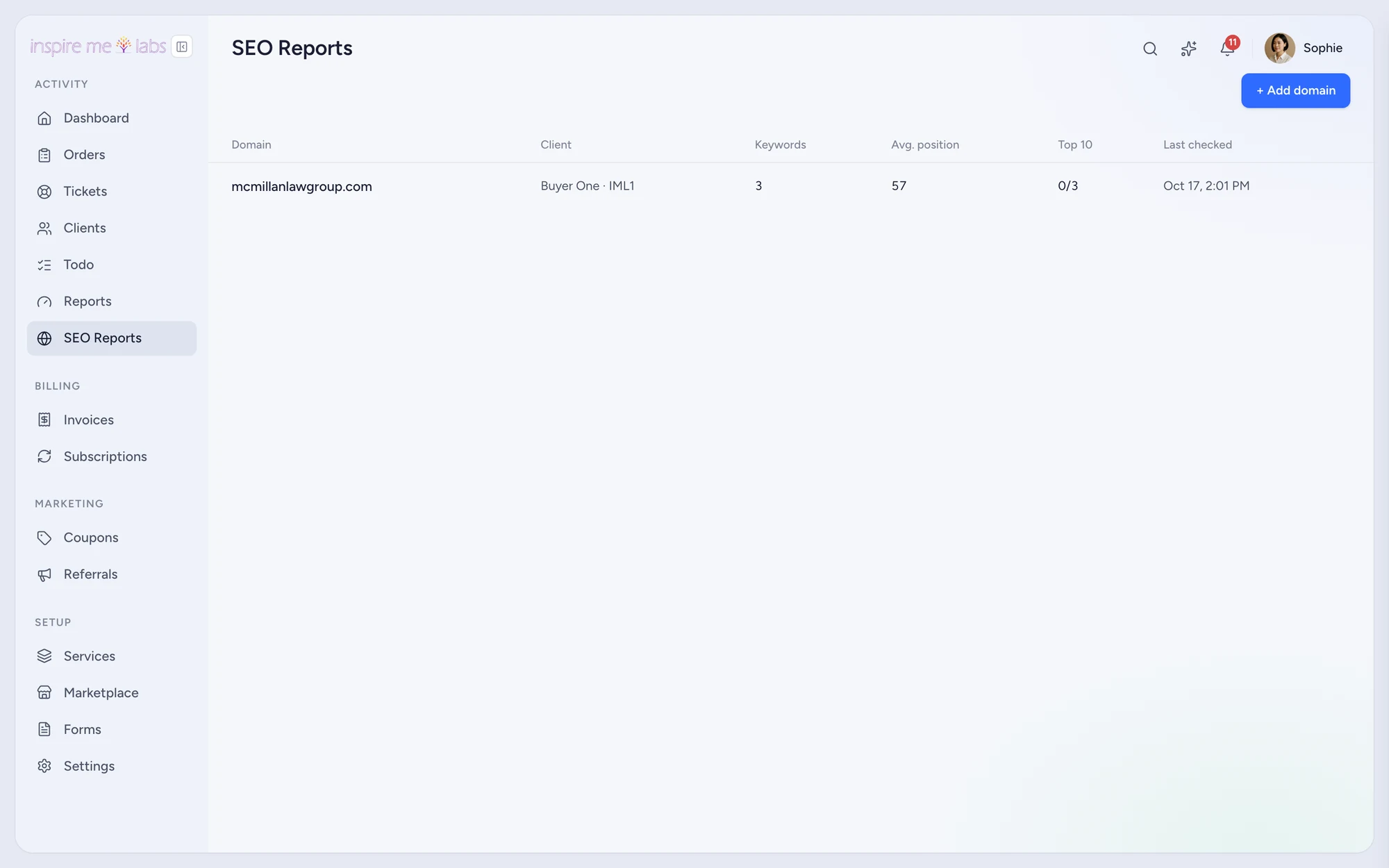
01 Tracking
Domains, keywords, positions
Add a client domain and its keywords. Positions, backlinks, site audits and AI mentions are collected on a schedule, with trend charts in the admin and a report page in the portal.
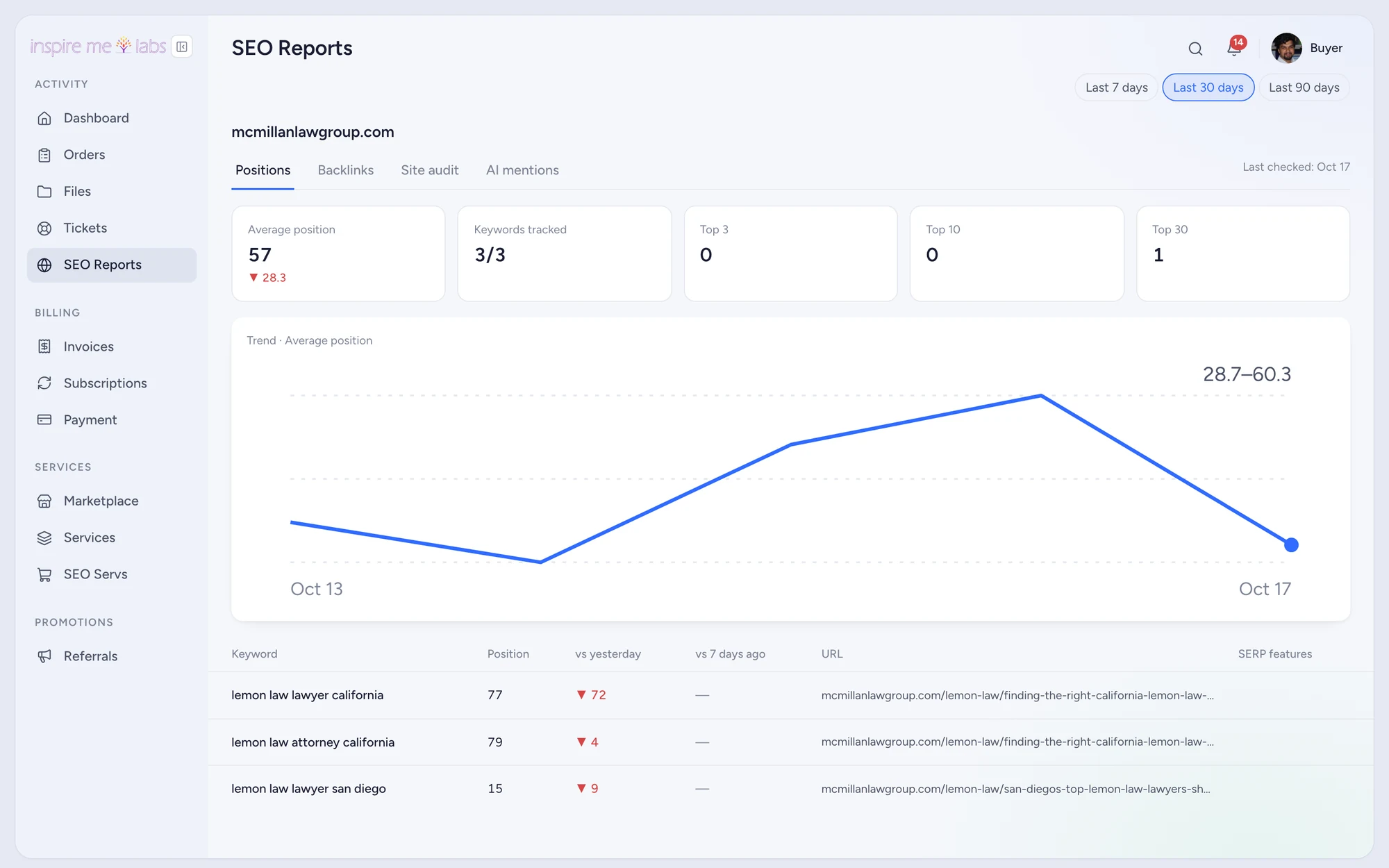
02 Portal
A report page in the portal
Clients open SEO Reports in their sidebar and see the same charts. No PDF to send, no dashboard to maintain elsewhere.
Your edge
Why seo reporting works better here
Your data account
Bring your own DataForSEO credentials; usage is billed to you at their rates.
Sample data
Test mode seeds sample rankings so you can design the portal before the first client.
Alongside the work
Rankings sit next to the orders and tickets, so the story of the engagement is in one place.
FAQ
Questions, answered
Which plans include SEO reporting?
Pro and Plus. Trials include it so you can evaluate it.
Start with one service.
Move a single service into inspire.work, sell it from a link and let the portal handle the brief, the delivery and the invoice. Add the rest when it earns its keep.
14 days free · no card needed · sample data included · cancel in one click