
Client portal infrastructure for agencies
Sell the service.
The portal does the rest.
Productised services sold from one branded portal. Every payment opens the brief, the tasks and the conversation, so reorders, renewals and referrals arrive without a sales call.
Works with Claude and ChatGPT through MCP
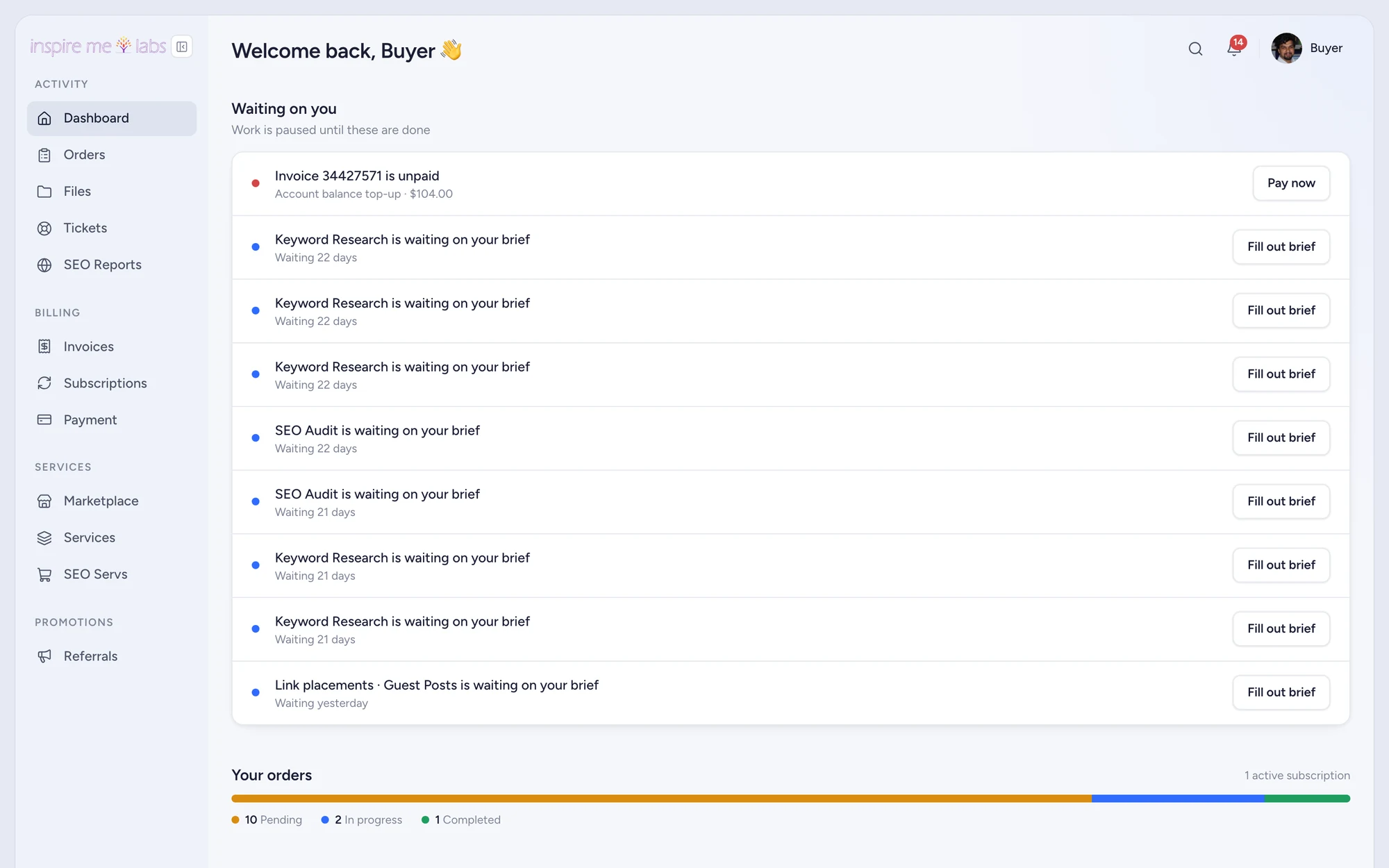
One system
Client portal software for the whole relationship
Order forms, intake, delivery, support, invoices and reporting share one database, so nothing is copied between tools and the client always sees the current truth.
Sell
Order forms and checkout
Services with options, add-ons and coupons, paid by card, PayPal or balance.
Intake
Briefs collected on payment
The intake form opens after checkout and holds the order until it is answered.
Deliver
Orders, tasks and files
Workflows per service, pipelines, time tracking and a thread the client can join.
Support
Helpdesk and email
Tickets from the portal, a widget or a forwarded mailbox, with context attached.
Bill
Invoices and subscriptions
Renewals, dunning, refunds, taxes and a ledger your accountant will like.
Grow
Referrals and reporting
Referral links for clients, fourteen reports and a dashboard that opens on the numbers.
The client journey
See how client work moves through inspire.work
Five stages, one record. Each stage below is a real screen from a live workspace.
01Payment
A click becomes a client
A visitor picks a service, chooses options and pays. The receipt signs them into their new portal. No proposal, no invoice chase, no onboarding call to book.
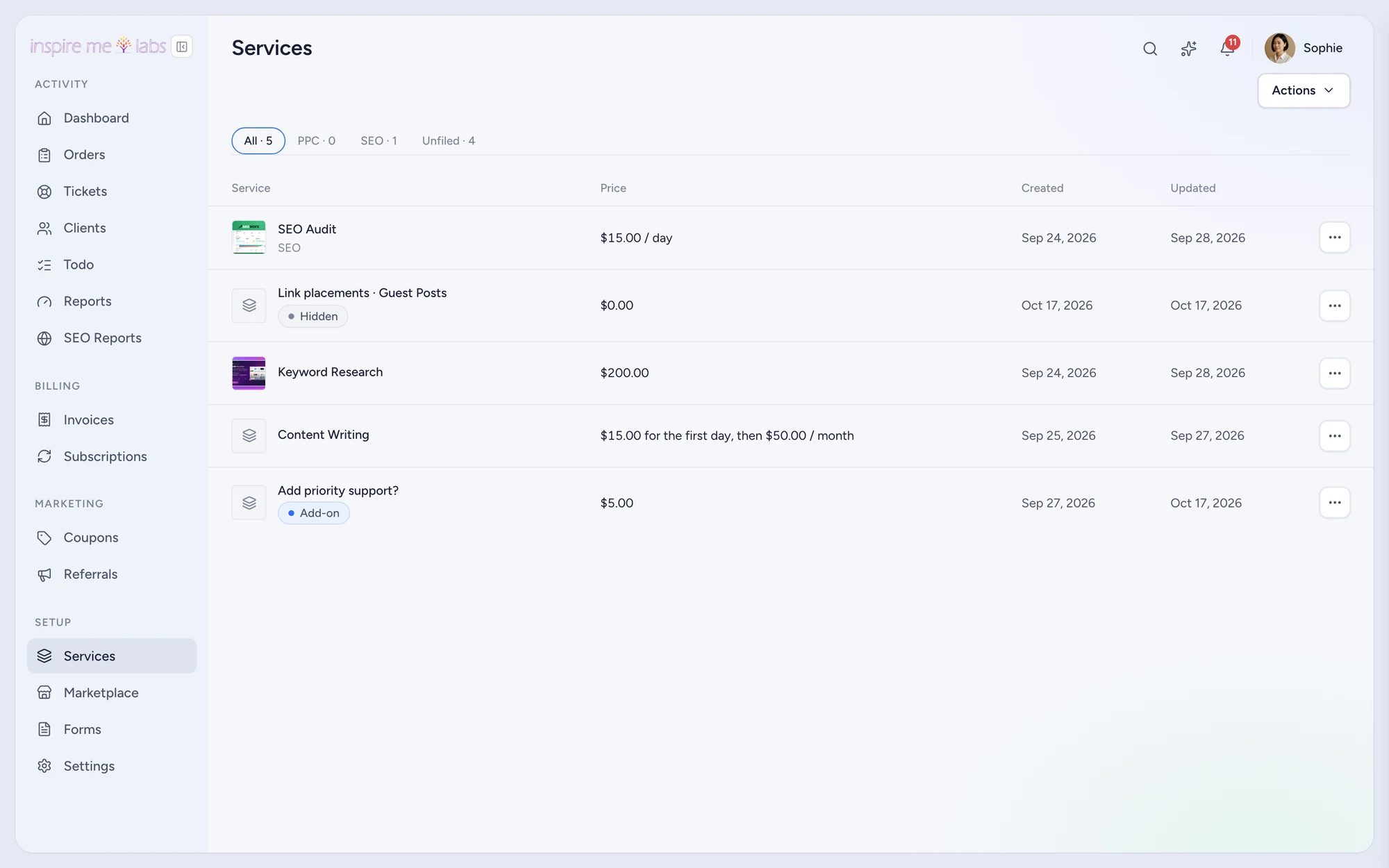
1.Order forms
One per service, shareable and embeddable, with live pricing and coupons.
2.Checkout
Cards through Stripe, PayPal, bank transfer or account balance; test mode for rehearsals.
3.Receipt
Guest checkout creates the client, signs them in and opens the intake form.
02Intake
Turn intake into a ready project
The intake form asks exactly what the service needs. Answers land on the order as fields, the workflow instantiates its tasks, and the assignee sees a brief instead of an email thread.
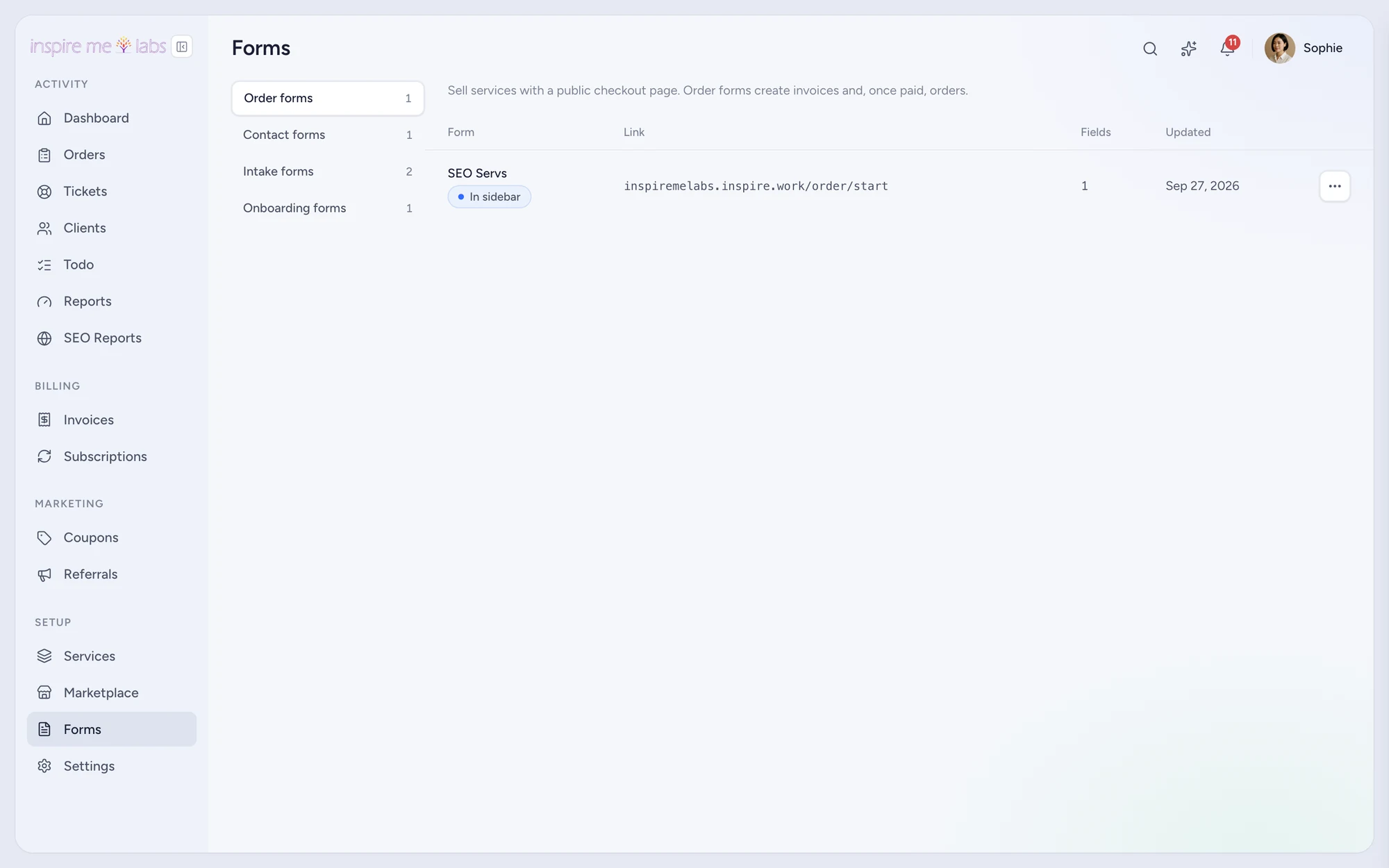
1.Form builder
Drag fields, add rules, prefill what you already know.
2.Onboarding
Asked once per client, shown in the portal sidebar until done.
3.Reminders
An unanswered brief is chased after a day, without you.
03Projects
Manage projects, not tools
Orders carry tasks by step, due dates, assignees, time and files. Pipelines show the queue as a board. Contractors see only their work; clients see only what you mark visible.
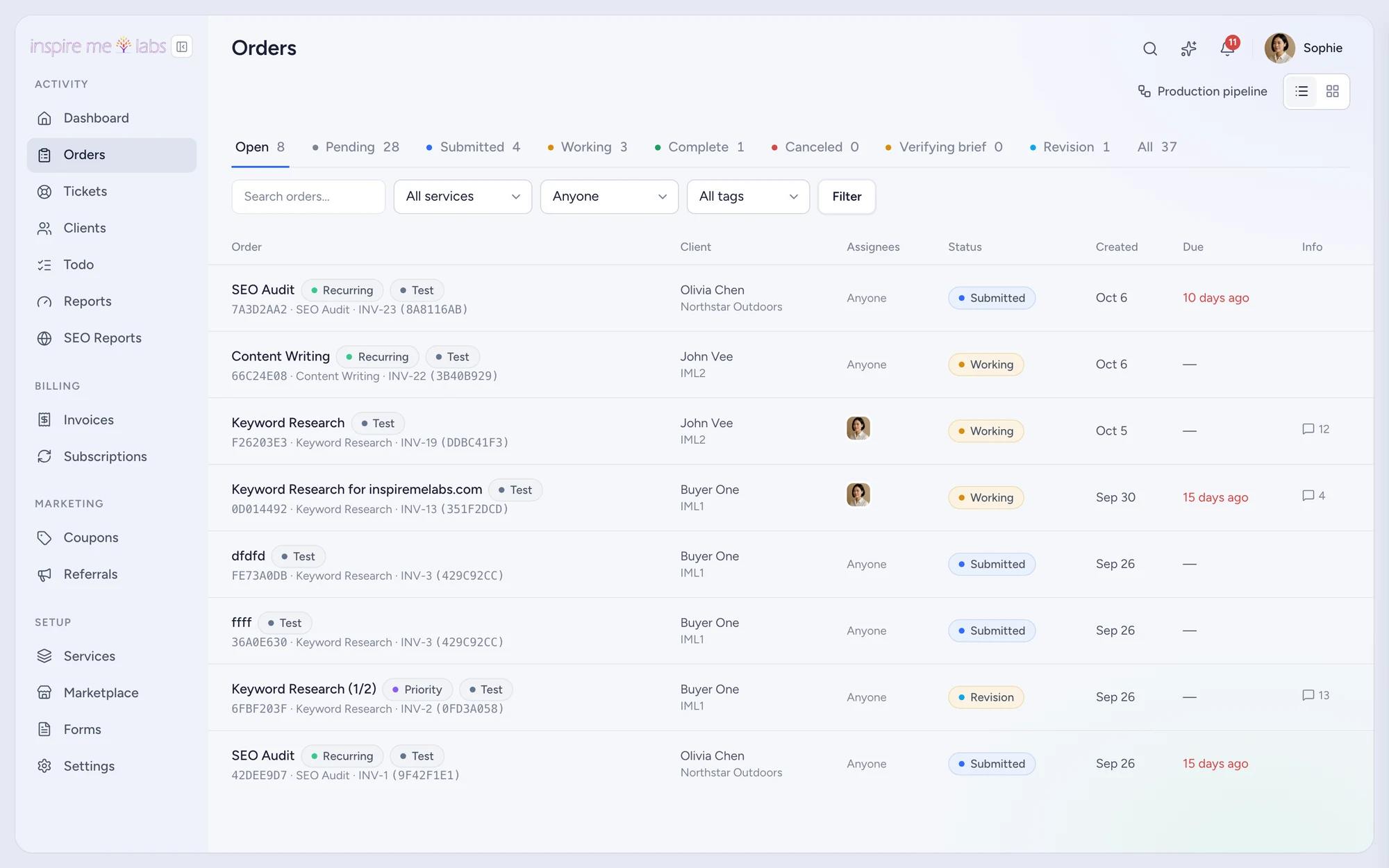
1.Workflows
Steps, tasks and automations defined per service, run on every order.
2.Pipelines
Sales and Production boards with Status Sync to the client-facing status.
3.Files
Multipart uploads, zip downloads and signed links, organised per order.
04Communication
Give every conversation context
Messages live on the order or the ticket they are about. Clients reply from the portal or by replying to the email, and either way it lands in the right thread with the history beside it.
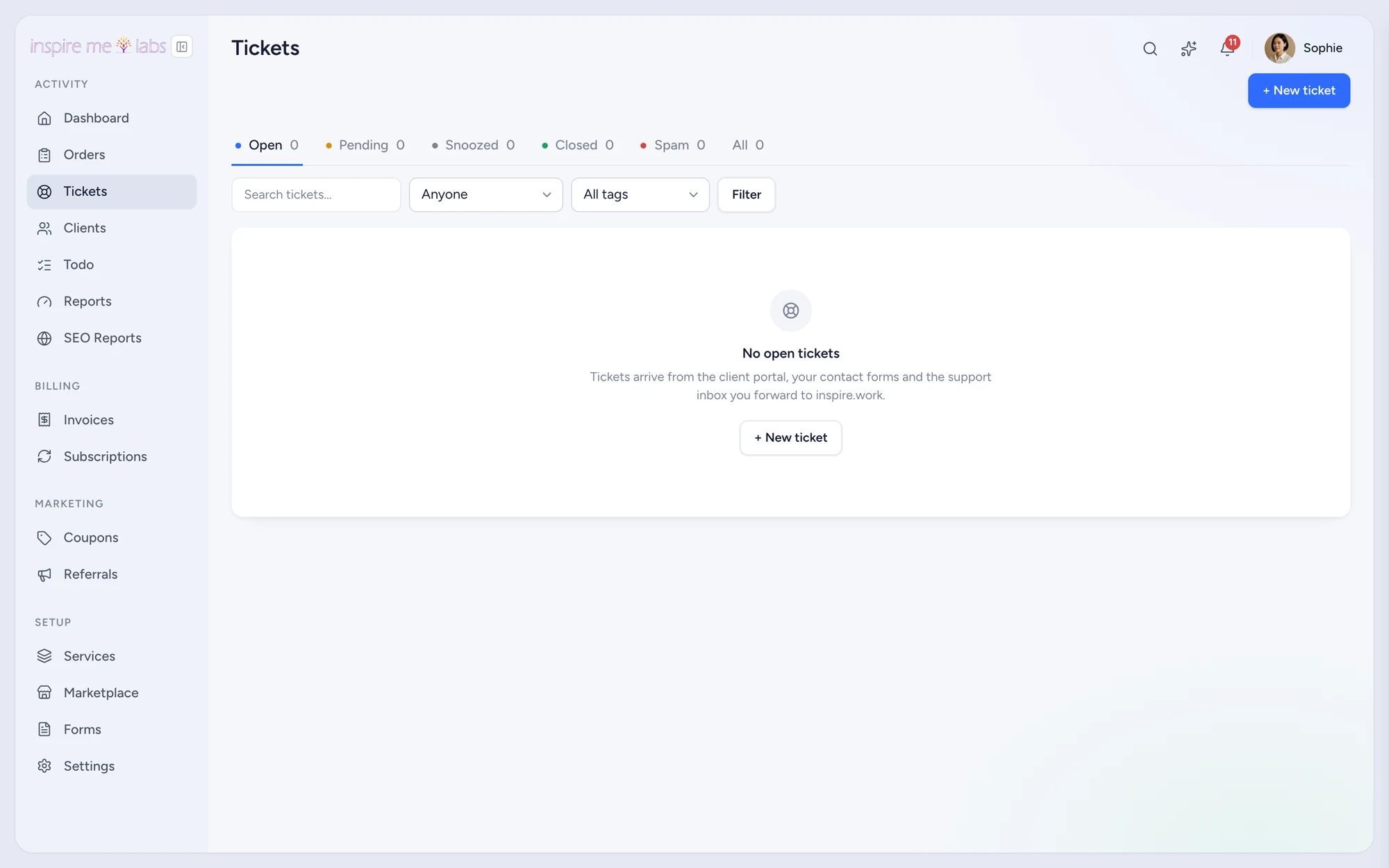
1.Helpdesk
Tickets from the portal, a widget, a contact form or a forwarded mailbox.
2.Team notes
Internal notes, saved replies, signatures and out-of-office replies.
3.Reply by email
Signed reply addresses thread replies correctly, no login required.
05Growth
Grow the account from the same record
Because selling and delivery share one database, the next sale is easy: subscriptions renew, clients reorder from the portal, referrals pay commissions and resellers sell under their own brand.
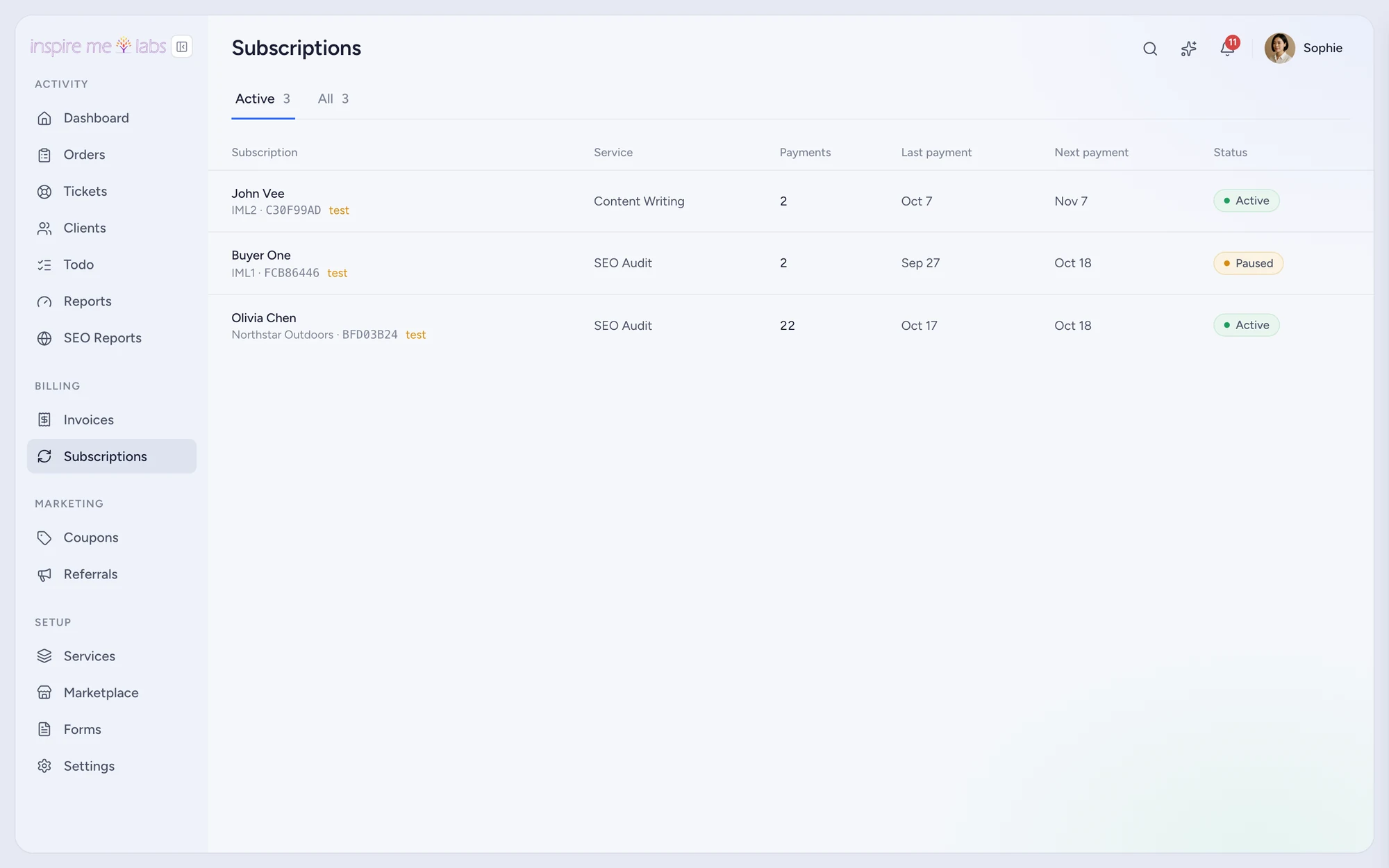
1.Renew
Subscriptions create invoices and orders on schedule, with dunning when a card fails.
2.Refer
A referral link per client, commissions on paid invoices, payouts to balance.
3.Resell
Reseller mode mirrors orders to a fulfilling workspace under your brand.
Replace the stack
One subscription instead of seven
A typical agency runs a form tool, a project tool, a helpdesk, an invoicing app, a CRM, a file share and a reporting dashboard. Each costs money and a login. inspire.work does the work of all of them, and your clients only ever see one.
Before
- ×Order form in one tool, payment link in another
- ×Brief collected by email, pasted into a project app
- ×Files on a shared drive, status in a spreadsheet
- ×Invoices from an accounting app the client never opens
- ×Support in an inbox, reports in a dashboard tool
- ×Seven logins for the client, seven bills for you
With inspire.work
- ✓Order form, checkout and receipt on one link
- ✓Intake form opens on payment and holds the order
- ✓Files, tasks and messages live on the order
- ✓Invoices and subscriptions in the portal, paid by card or PayPal
- ✓Tickets with the client's context beside them
- ✓One login for the client, one subscription for you
AI inside
Ask your workspace a question
An assistant on every admin page knows what you are looking at, suggests the next step and confirms before it writes. Connect Claude or ChatGPT through the MCP server and they work with your permissions, not around them.
Features
Everything an agency needs to sell, deliver and get paid
Client portal
A branded home for every client
Learn more →Payments and billing
Invoices, subscriptions and checkout
Learn more →Project management
Orders, tasks, pipelines and files
Learn more →CRM
Clients, companies and activities
Learn more →Helpdesk
Tickets, email-to-ticket and contact forms
Learn more →Form builder
Order, intake, onboarding and contact forms
Learn more →Referrals
Client referral links and commissions
Learn more →Reporting
Dashboard and fourteen reports
Learn more →SEO reporting
Rankings, backlinks and audits in the portal
Learn more →Start small
Move one service at a time
Nobody migrates an agency in a weekend. Put your most repeatable service into inspire.work first, sell it from a link, and watch the brief, the tasks and the invoice take care of themselves. The second service takes an afternoon.
1.Pick the service
The one you sell most often with the fewest surprises. Add its price, its intake form and its task list.
2.Sell it from a link
Put the order form on your site or send it in a proposal. Guest checkout creates the client and signs them in.
3.Add the rest
Import clients from CSV, connect your mailbox for tickets, switch on the modules you need. Everything else can wait.
Use cases
Built for the way your agency sells
SEO agencies
Sell packages, show rankings, renew monthly
Content agencies
Briefs in, drafts out, revisions tracked
Link building agencies
Placements, guest posts and outreach at volume
Link marketplaces
A storefront for placements with cart and checkout
Local SEO agencies
Many small clients, the same monthly plan
Video editing agencies
Large files, fast turnarounds, clear revisions
Podcast editing agencies
Episodes as recurring orders
Social media agencies
Retainers, approvals and monthly reports
Built by an agency
We run our own agency on it
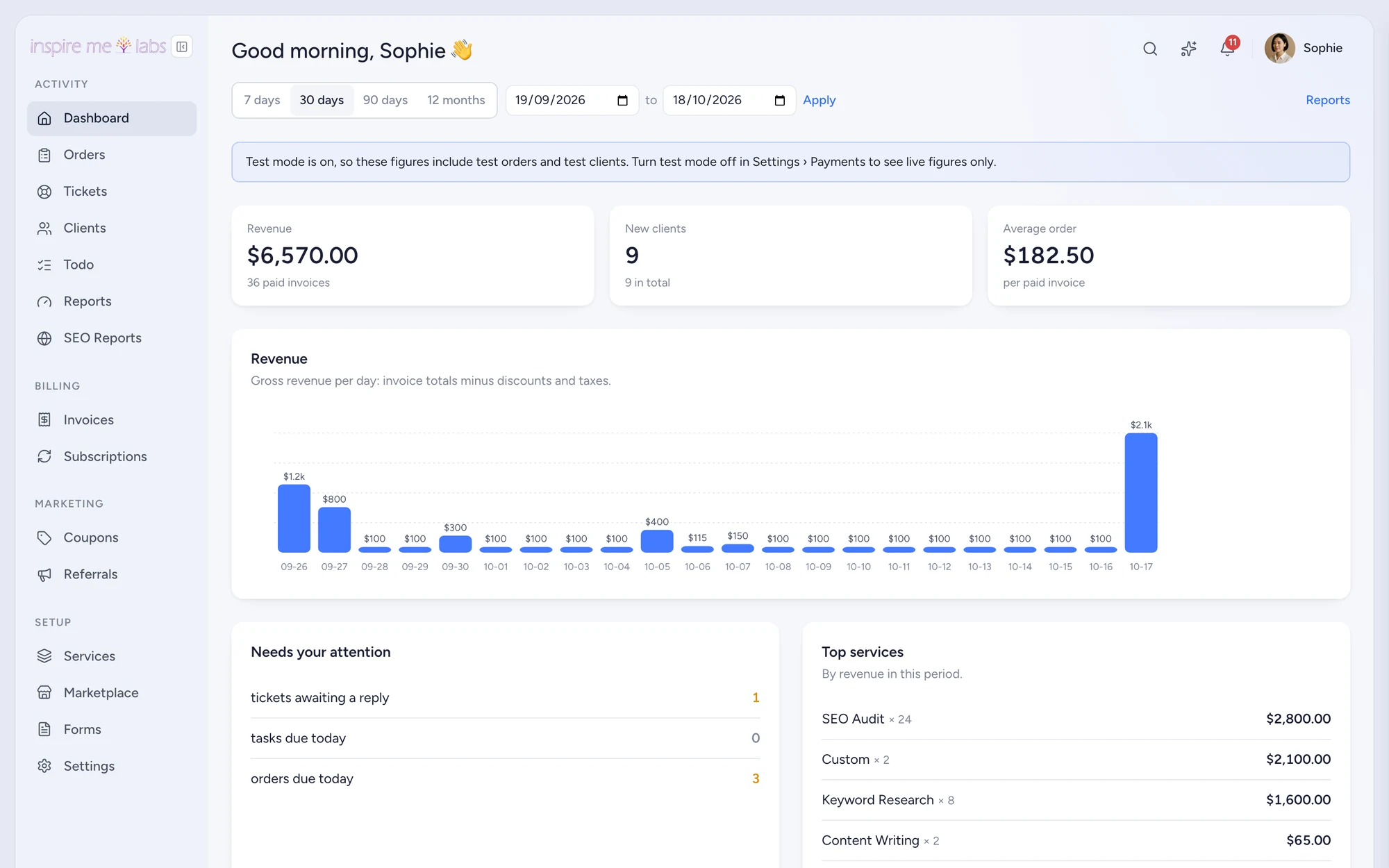
inspire.work started as the system behind InspireMe Labs, a productised SEO and content shop. The screenshots on this site are our own workspace, not a mock-up. Every feature exists because an agency needed it on a Tuesday afternoon.
FAQ
Questions, answered
Who is inspire.work for?
Agencies and studios that sell repeatable services: SEO, content, links, local SEO, video and podcast editing, social media, design subscriptions. If you sell the same thing more than once, the portal pays for itself.
Does the trial need a card?
No. Sign up with a work email, pick your portal address and you have fourteen days of the Pro feature set with sample data you can delete in one click.
Where does the money go?
Into your own Stripe or PayPal account. inspire.work charges a flat subscription and never a transaction fee.
Can clients use my domain?
Yes. Add two DNS records and the portal, the order forms and the emails all carry your domain.
Can I export my data?
Yes. CSV exports for clients, services, orders, invoices and every report, plus a REST API for anything else.
Is there a long contract?
No. Monthly or yearly, cancel at the end of the period from the billing page, no email required.
Start with one service.
Move a single service into inspire.work, sell it from a link and let the portal handle the brief, the delivery and the invoice. Add the rest when it earns its keep.
14 days free · no card needed · sample data included · cancel in one click