
Reporting
Know what sold, who bought and what is late
A dashboard that opens on the numbers that matter and reports you can filter by date and export as CSV.
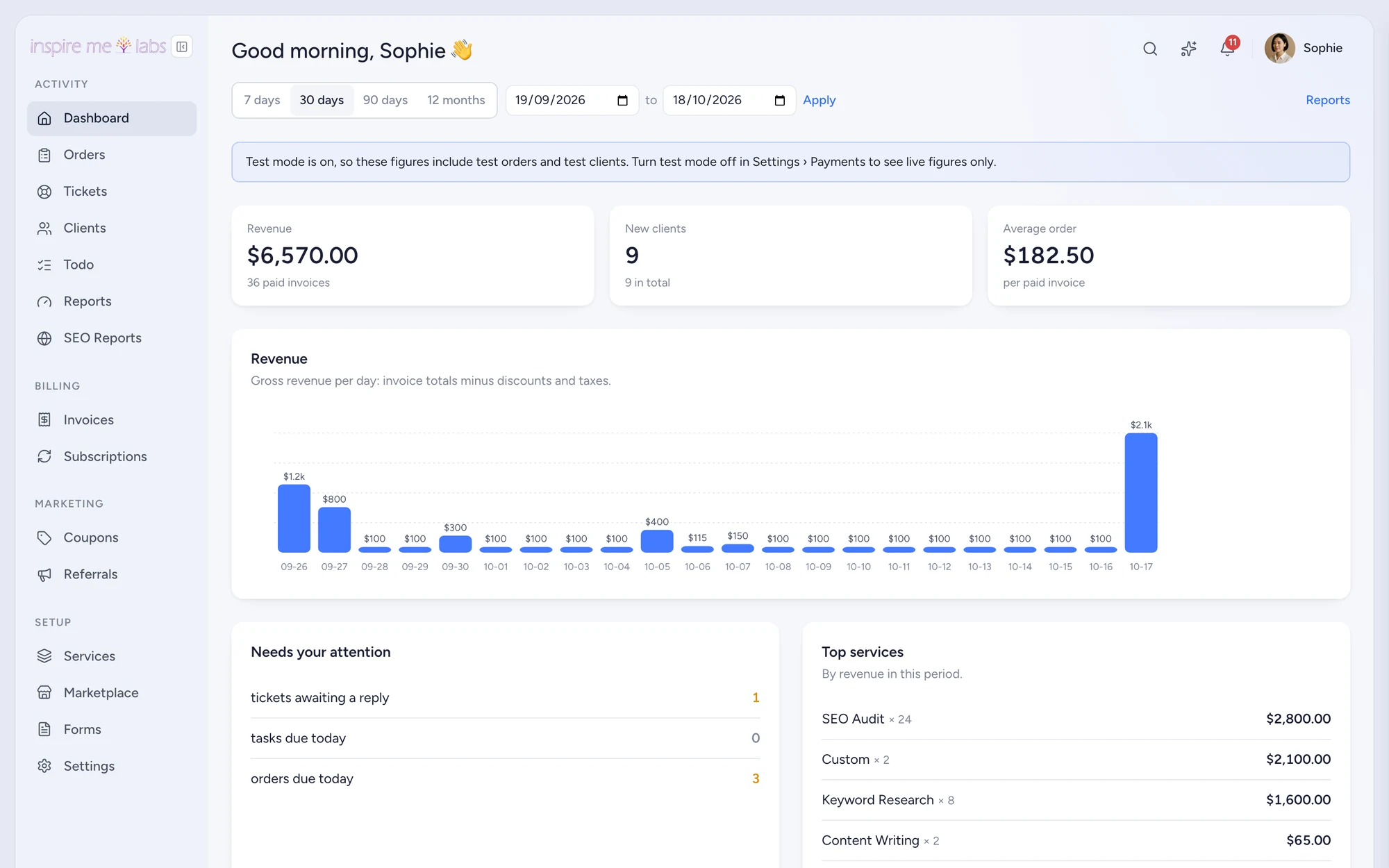
01 Dashboard
Revenue, new clients, average order, attention
Pick a range, see revenue per day, new clients, average order value, top services and a Needs your attention list with tickets awaiting a reply and orders due today.
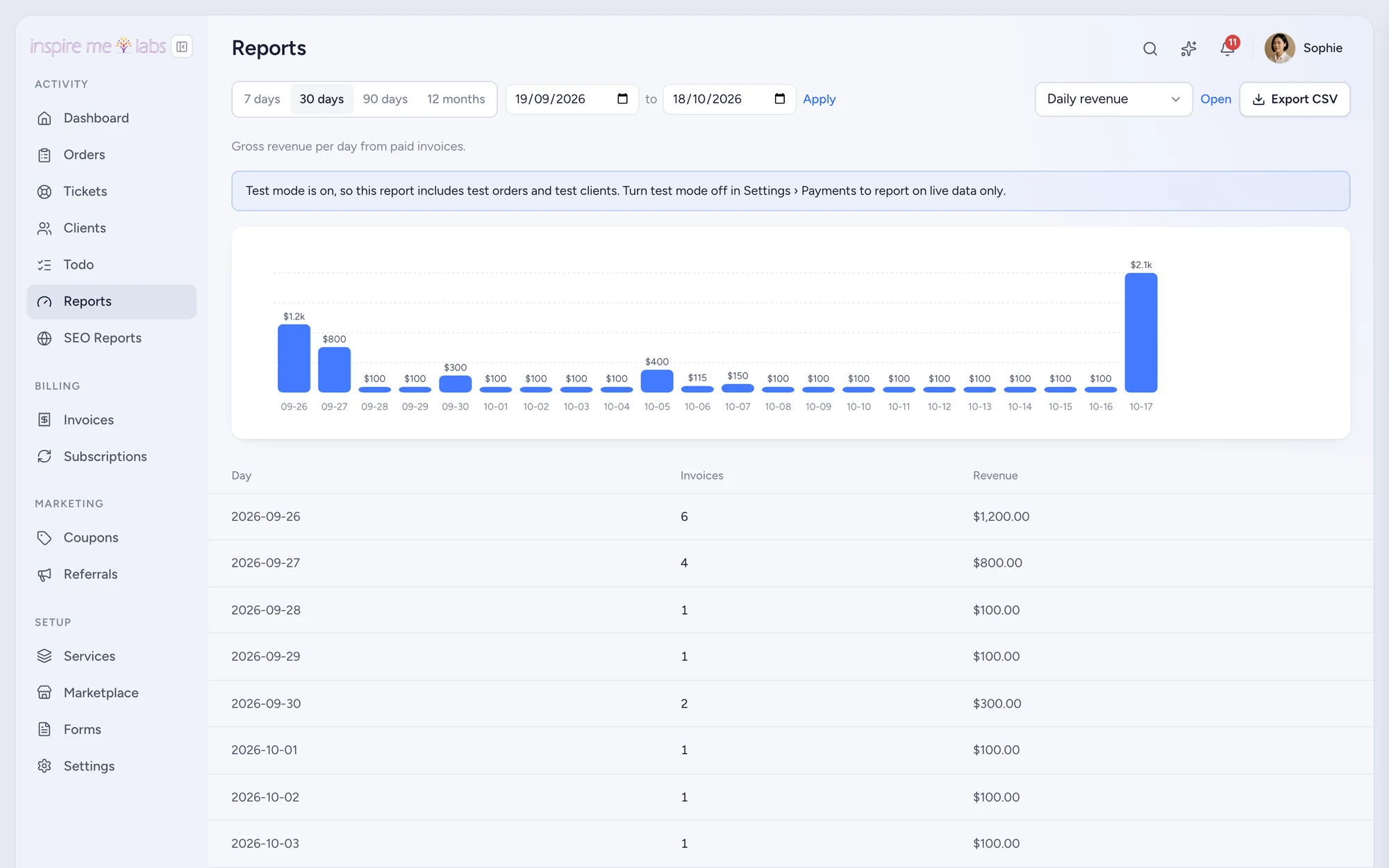
02 Reports
Fourteen reports, one page
Sales by service, by client and by team member, taxes by country, refunds, subscriptions, coupons, tickets, response times, time tracked and more. Each with a chart, a table and a CSV button.
Your edge
Why reporting works better here
Honest numbers
Reports read the invoice ledger, so revenue, refunds and taxes reconcile with your provider.
Per person
See who delivered what and how long it took, with time tracking on.
Exportable
CSV everywhere, plus a REST API for anything the reports do not show.
FAQ
Questions, answered
Can I exclude test orders?
Yes. Turn test mode off and the dashboard shows live figures only.
Start with one service.
Move a single service into inspire.work, sell it from a link and let the portal handle the brief, the delivery and the invoice. Add the rest when it earns its keep.
14 days free · no card needed · sample data included · cancel in one click