
Project management
Every order on one screen, every task in order
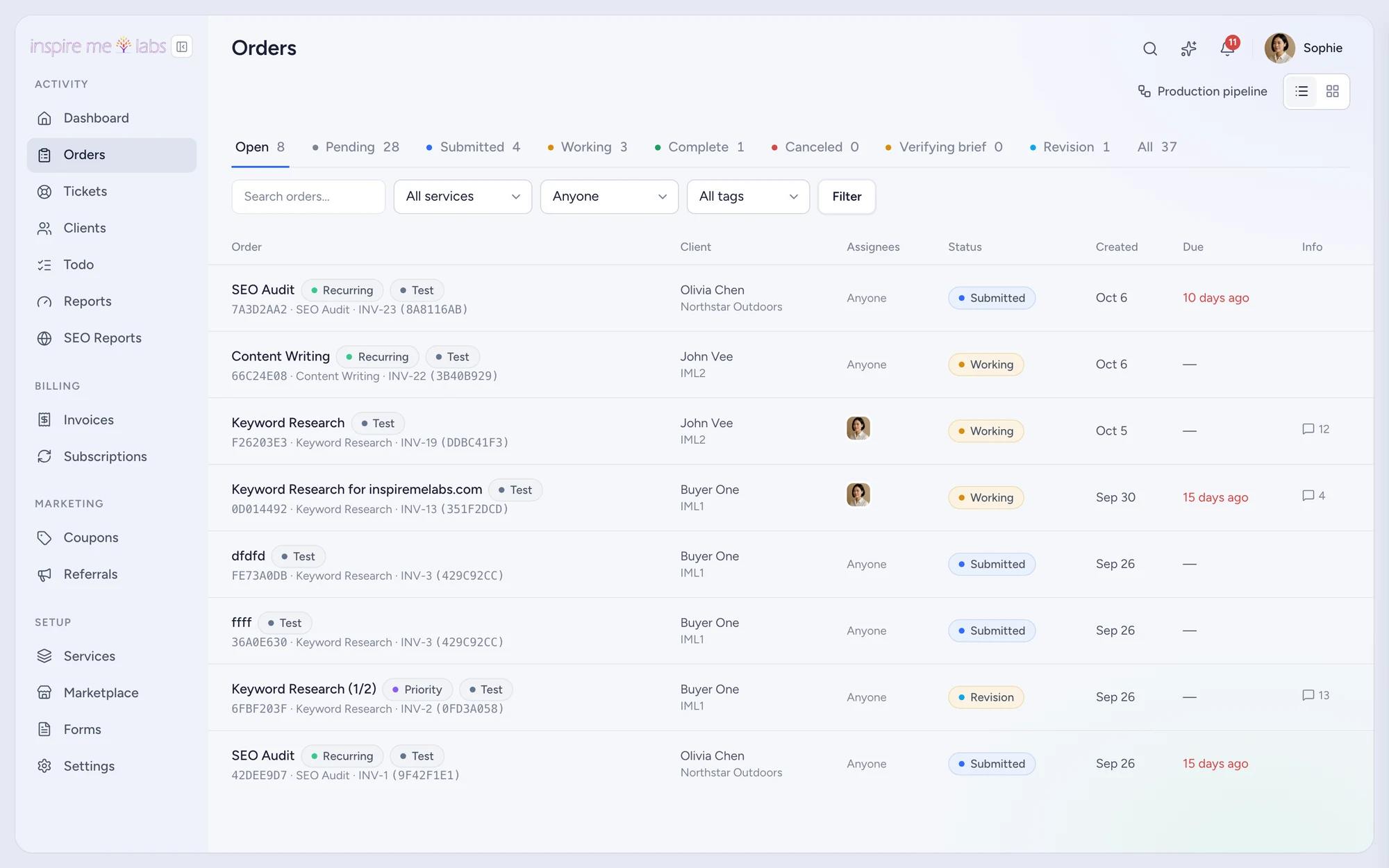
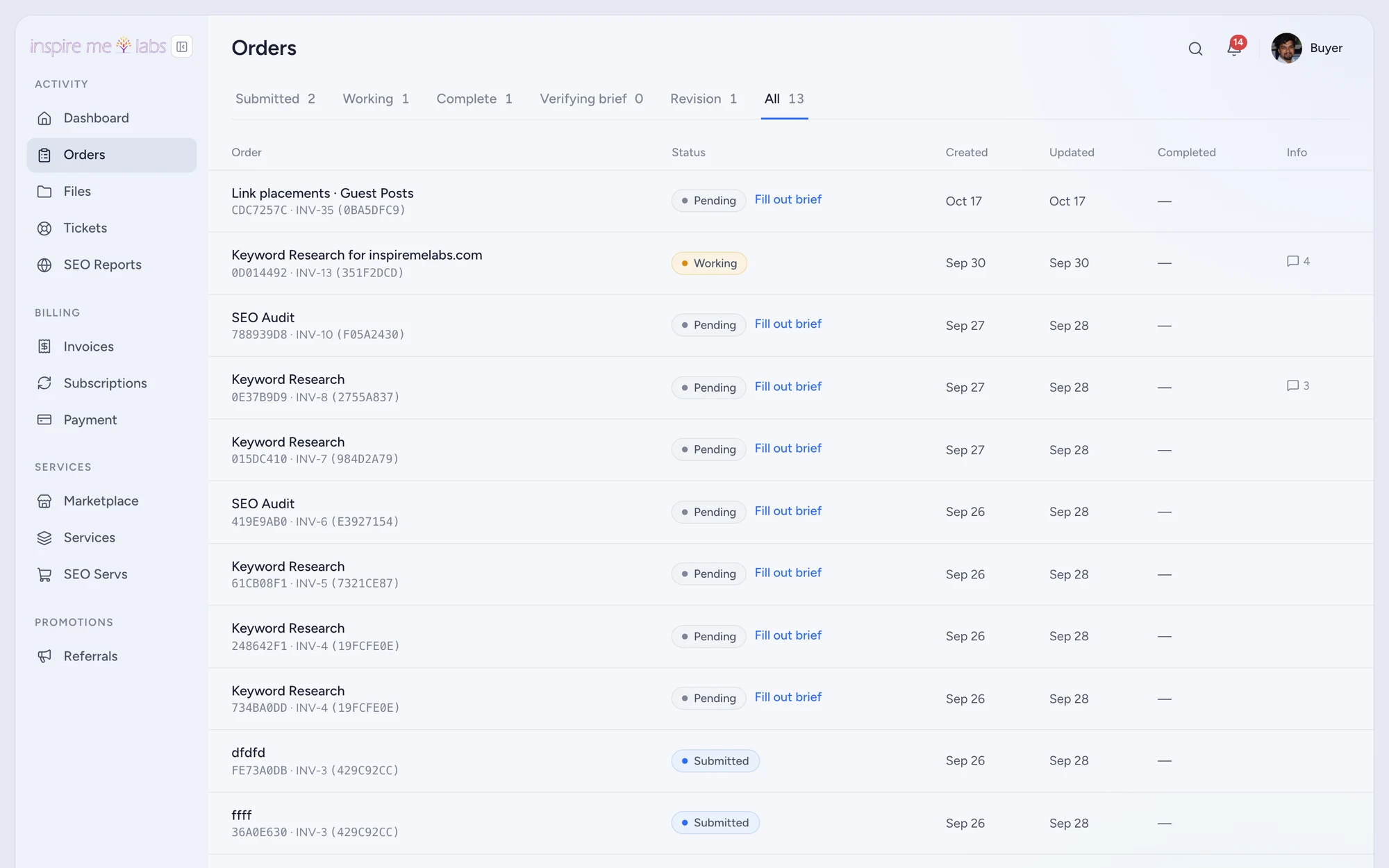
Orders carry the brief, the tasks, the conversation, the files and the clock. Your team sees what is due; the client sees what is done.
01 Orders
A list that matches how you work
Status tabs, filters by service, assignee and tag, a table view and a board view. Customise the columns. Unanswered and test orders stand out. Add-on orders tuck under their parent so counts stay honest.
02 Tasks and workflows
Set the workflow once, run it on every order
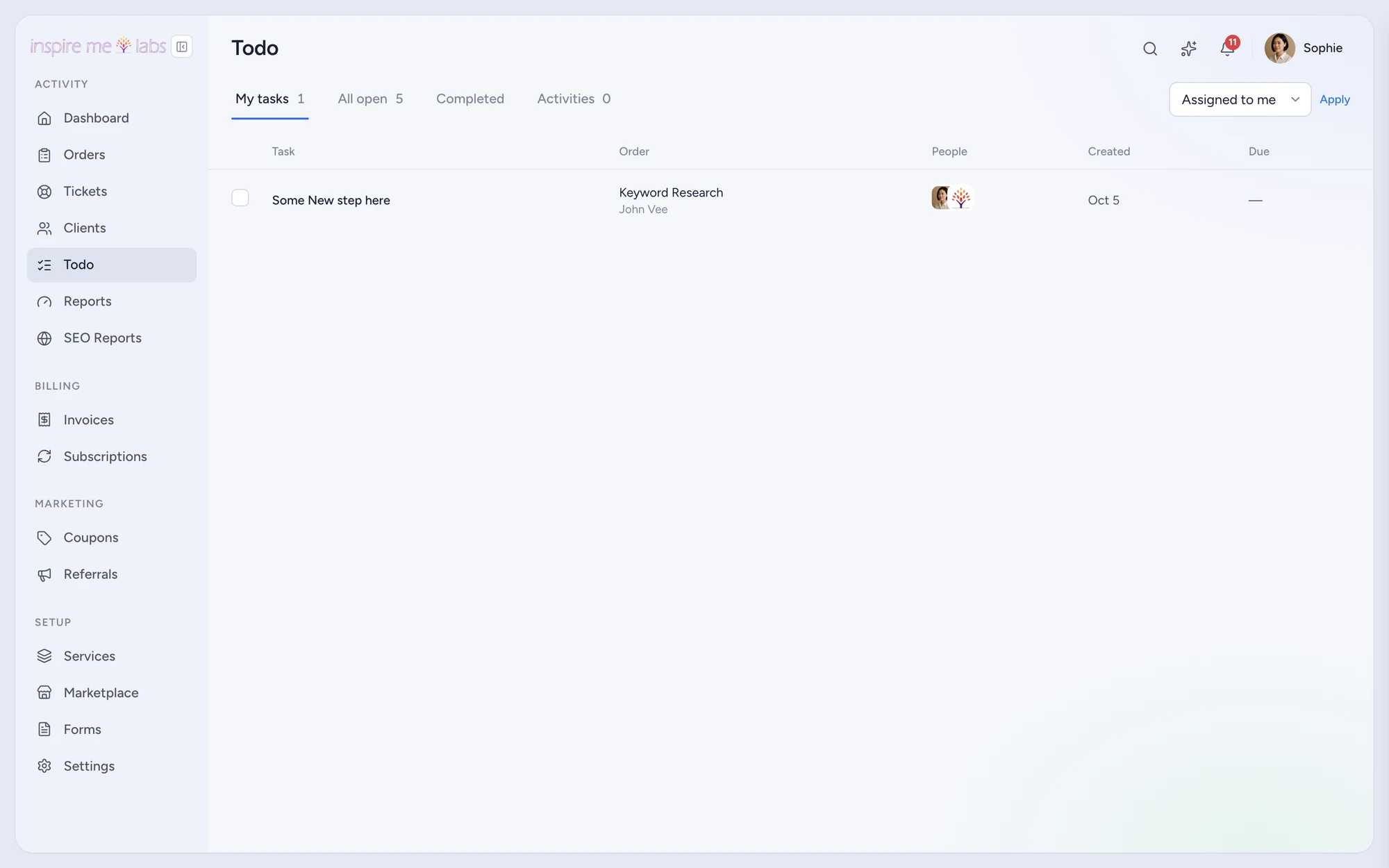
Each service has steps and tasks with due offsets, default assignees and client-visible flags. A new order instantiates the whole plan. Step automations change status, notify people or assign work when a step completes.
- Todo page with everything due across orders
- Deadlines per service and per task
- Time tracking with a running timer strip and a time report
03 Pipelines
Drag work through stages
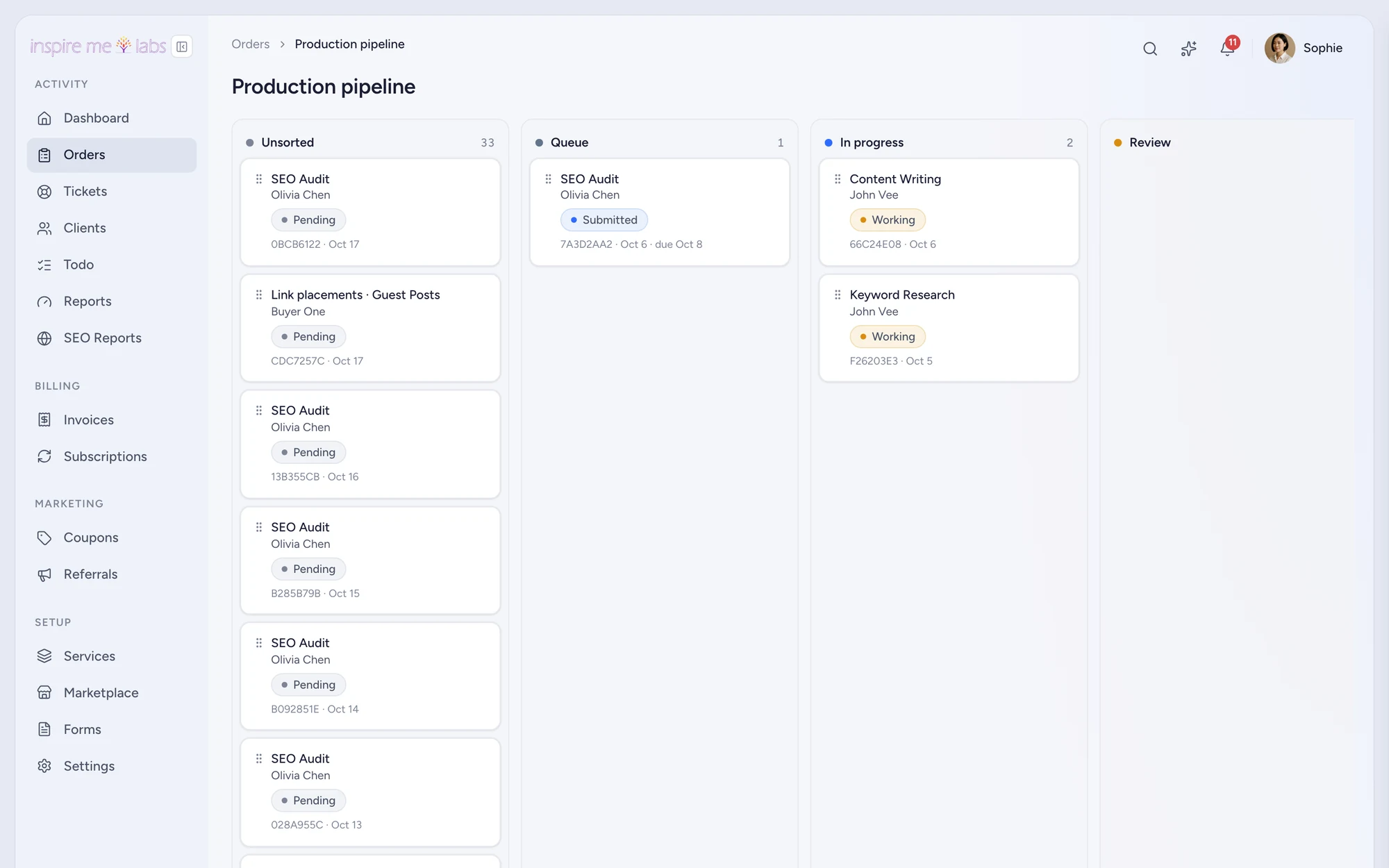
Sales and Production boards come seeded. Drag an order between stages and let Status Sync update the client-facing status, or the other way round. Entering a stage can assign, tag or leave a note automatically.
04 Files and messages
The conversation lives with the work
One thread per order with client replies, team-only notes, reactions and attachments. Files upload straight to storage, download as a zip, and expire with signed links. Replies sent by email land in the same thread.
Your edge
Why project management works better here
No second tool
Tasks, time, files and messages are on the order, so nothing has to be copied into a project app.
Client-safe
Decide per status and per task what clients see. Lock completed orders, reopen on revision.
Automated
Workflows, step automations and pipeline rules take the repeat decisions off your plate.
FAQ
Questions, answered
Can clients request revisions?
Yes. A revision reopens the order into the status you choose and notifies the assignee.
Can contractors see only their work?
Yes. The Contractor role sees assigned orders only, and you can create roles with any mix of access.
Start with one service.
Move a single service into inspire.work, sell it from a link and let the portal handle the brief, the delivery and the invoice. Add the rest when it earns its keep.
14 days free · no card needed · sample data included · cancel in one click